

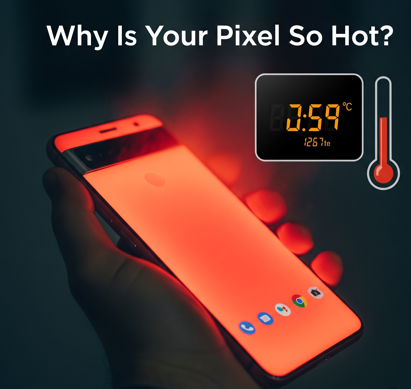
Why pixel phones Heats so much – Real Reason? Ever held a Pixel phone that felt like a mini heater? You’re not alone. Over the years, Pixel users have reported frequent overheating — and it’s not just annoying. It affects performance, battery health, and your overall experience. But what’s really behind this issue?
Let’s break it down.

- Heavy Software in the Background
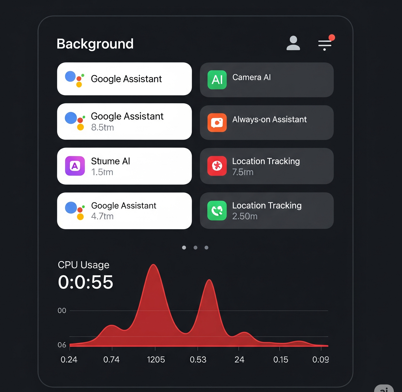
Why Pixel Phones Heat in Daily Use. Pixel phones are known for their smart features — Live Translate, voice typing, automatic app suggestions, and more. These are powered by AI and machine learning, constantly running in the background.
Even when idle, your Pixel may be analyzing your habits, scanning your photos, or syncing with Google Drive. While these features are useful, they’re also resource-hungry — and that means more heat.
Google Assistant, for example, keeps the mic active for voice detection. That’s small, but always-on features add up over time. The software which we use in the background is one of the reason why pixel phones heat so much.

H2. The Chip at the Core: Tensor’s Heat Problem
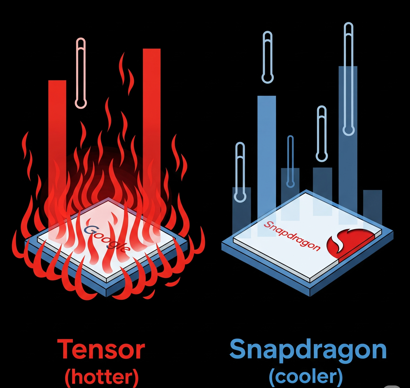
Real Reasons for Pixel Overheating. Google shifted from Qualcomm’s Snapdragon chips to its in-house Tensor processor in 2021. While this gave Google more control over performance and AI features, it came with a price: efficiency.
Tensor chips are manufactured by Samsung using a 5nm process that’s less power-efficient than what competitors like Apple use. Simply put, Tensor chips need more power to perform similar tasks — and more power means more heat.
This design choice explains why even casual tasks like scrolling Instagram or using the camera can cause noticeable warmth. This one is the reason why pixel phones heat so much .
H3. Poor Cooling Design
Unlike some gaming phones or even Samsung’s Galaxy line, Pixel phones don’t prioritize thermal management. Instead, their internal layout is tight, and thermal components like heat spreaders or vapor chambers are minimal.
This leads to “hot spots” — areas on the phone that feel especially warm when you’re gaming, using the camera, or multitasking.
In many Pixels, the cooling system simply can’t keep up with the power being drawn by the chip, RAM, and AI features. The Design of the phone is also responsible for the why pixel phones heat so much.

H4. Charging and Battery Placement
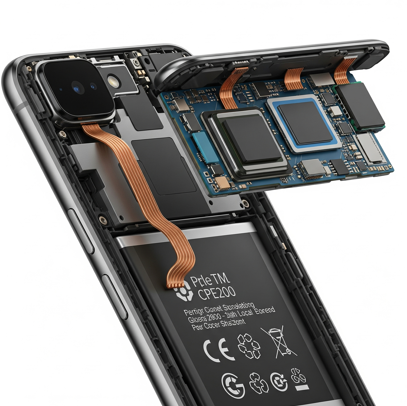
Why Pixel phones heat so much the real reason is the structured of the battery in phone. Pixel phones tend to warm up during charging — especially wireless charging. That’s because wireless charging is less efficient and generates more heat loss. Fast charging (wired or wireless) adds to the stress. Battery stress is a big factor in Pixel phone heating issues.
Making matters worse, the battery is often placed close to the Tensor chip, so heat from both the processor and the charging process accumulates in one area.
Using your phone while charging — like watching YouTube or navigating with GPS — pushes the temperature even higher. Battery stress is a big factor in Pixel phone heating issues.

H6. Environmental and Usage Factors
Sometimes the problem isn’t just inside the phone — it’s where and how you use it.
- Warm surroundings (like inside a car or under direct sun)
- Thick phone cases that trap heat
- Poor network signal (your modem works harder to connect)
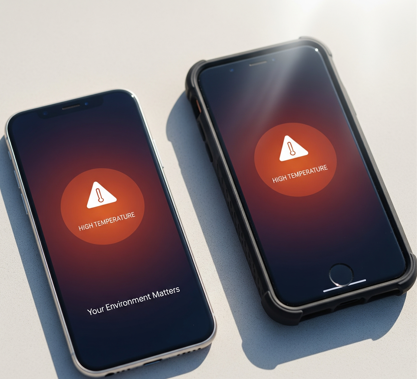
All of these can raise the internal temperature of your Pixel. In combination with the already warm chip and background tasks, it doesn’t take much for the phone to overheat. Experts explain why Pixel phones heat in warm environments.

H7. Compared to iPhones and Samsung
So how does Pixel compare to others?
Tests show that Pixels often run 5–10°C hotter than iPhones or Galaxy phones under the same workload. Apple’s A-series chips are built using a more efficient process by TSMC, making them cooler and more powerful.
Samsung uses more advanced thermal layers in their flagship phones too. Pixel phones, meanwhile, start thermal throttling (reducing performance to cool down) earlier than rivals.
H8. Are Newer Pixels Any Better?
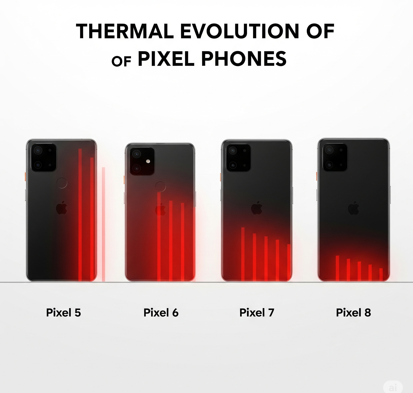
With the Pixel 7 and Pixel 8 series, Google has made improvements. Better thermal paste, slightly redesigned internals, and refined software optimization have helped.
But the core issue remains: Tensor chips are hot by nature. Until Google changes its chip supplier or moves to a more efficient process, heating will continue to be a concern — especially during high-performance tasks.

H9. Is It Dangerous or Just Annoying?
Let’s be clear — phones heating up a little is normal. But constant overheating or regular thermal warnings aren’t good signs.
- It can degrade your battery faster.
- It can reduce performance during gaming or video editing.
- It can make the phone uncomfortable to hold or use.
If your Pixel regularly gets hot doing basic things, it’s worth keeping an eye on app usage, charging habits, and case ventilation.
H10. What Can You Do to Keep It Cool?
Here are some tips to avoid Pixel overheating:
✅ Avoid charging while gaming or watching videos
✅ Use original or certified chargers
✅ Take off your case during wireless charging
✅ Close unused background apps
✅ Avoid prolonged usage in direct sunlight
✅ Keep your software updated
Conclusion: Why Do Pixel Phones Get So Hot?
Pixel phones heat up due to a mix of reasons — power-hungry Tensor chips, compact cooling design, background AI tasks, and how we use them.
While newer models like the Pixel 8 are better optimized, the root cause — inefficient hardware — still lingers. If Google partners with a new chip maker or adopts better heat management design in future Pixels, this could change.
Until then, managing heat will remain part of the Pixel experience — one that loyal fans tolerate, but not without a little sweat.
Q: Is it normal for Pixel phones to get warm during regular use?
A: Some warmth is normal during intensive tasks, but excessive heat during basic functions like texting or calling indicates potential issues with the device or software optimization.
Q: Does the heating problem affect the phone’s performance and battery life?
A: Yes, excessive heating can trigger thermal throttling, reducing performance, and high temperatures accelerate battery degradation, shortening overall battery life.
Q: Can software updates fix Pixel heating issues?
A: Software updates can improve thermal management and optimize processor usage, but hardware-related heating problems require physical design changes that only come with newer phone generations.
Q: How hot is too hot for a Pixel phone?
A: If the phone becomes uncomfortable to hold or displays overheating warnings, it’s too hot. Normal operating temperatures should not exceed 95°F (35°C) during regular use.
Q: Do phone cases make Pixel heating problems worse?
A: Yes, most cases trap heat and reduce natural cooling, especially thick cases or those made from insulating materials, which can worsen existing thermal issues.